Sierra Chart review
Last updated: August 9, 2026
Sierra Chart earns a PlatformScore of 66/100. It rates strongest for order-flow & DOM depth and data-feed & broker flexibility. Entry cost is $26-56/mo. Prop-firm support is rated Moderate (DTC connector). Base Standard $26/mo, Base Advanced $36/mo, Integrated (Pkg 10) $36/mo, Integrated+MBO (Pkg 12) $56/mo. Need Pkg 10+ for Denali/external data. No lifetime option. Rock-solid stability + great forum; support widely criticized.
My hands-on take
I've traded on Sierra Chart for close to two years. I run an AMP account on the Denali feed, on both a live funded account and prop firm accounts.
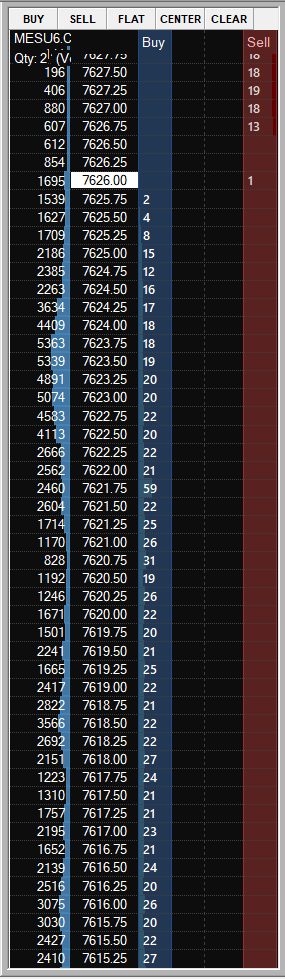
Day to day it's genuinely powerful. I can set alerts at specific prices and zones of interest, and cross-reference indicators across multiple timeframes without any friction. The biggest win for me is automating my level production: custom studies (ACSIL) auto-populate prior and current weekly and monthly value areas right onto my charts, so my morning prep is basically done before I even sit down. The DOM isn't as clean as Jigsaw's out of the box, but the trade-off is customizability. You can genuinely make the platform your own.
The learning curve is steep, and I won't pretend otherwise. It takes a long time to get productive and lay everything out the way you want it, and my first month or two was mostly setup. Community templates help, but it's still a long startup. What surprised me most was how deep the automation goes, with custom studies and enough historical data to actually backtest and forward-test real strategies.
On cost, I run Package 12 at about $56 a month plus $14 a month for the Denali feed, and the pricing was refreshingly upfront on their site with no surprises. Adding stock-data access is an extra $10 a month, which I did when I migrated off thinkorswim, since Sierra is also far lighter on my CPU. On performance I've had zero connection issues or slippage worth mentioning. It's fast, and side-by-side it's often steadier than Jigsaw when volatility picks up. My one real gripe is that the software feels dated. The back-end, and little things like saving templates and charts before closing, are clunky in a way I wish they would modernize.
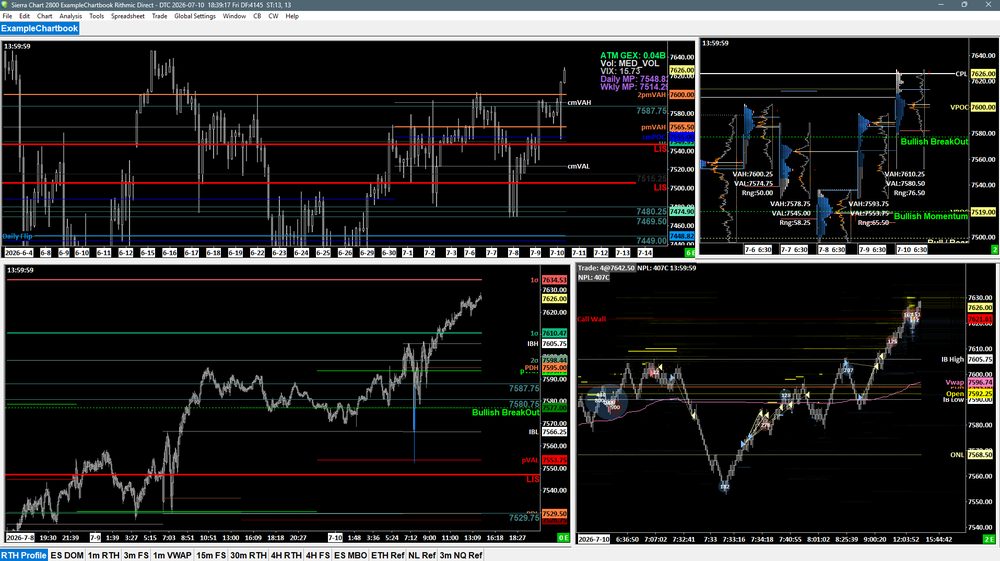
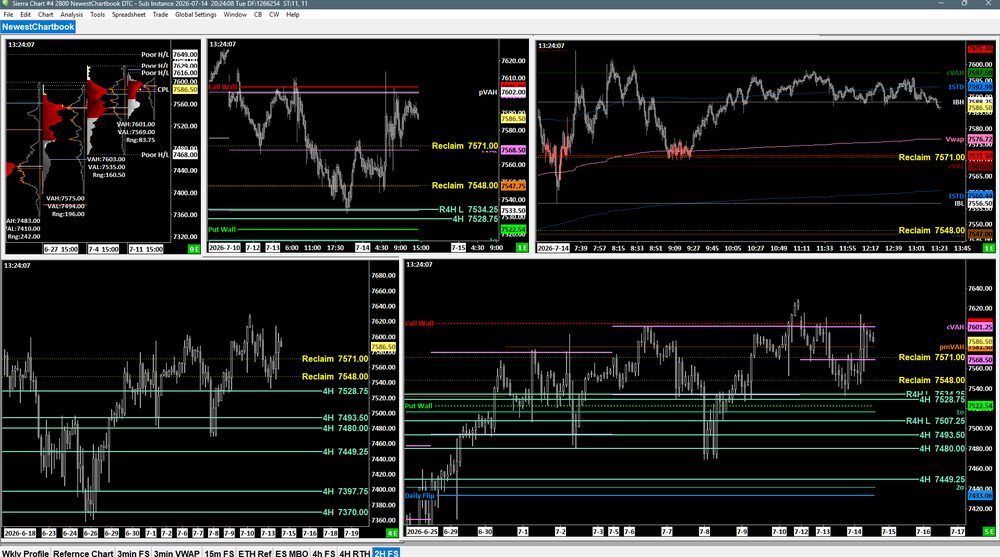
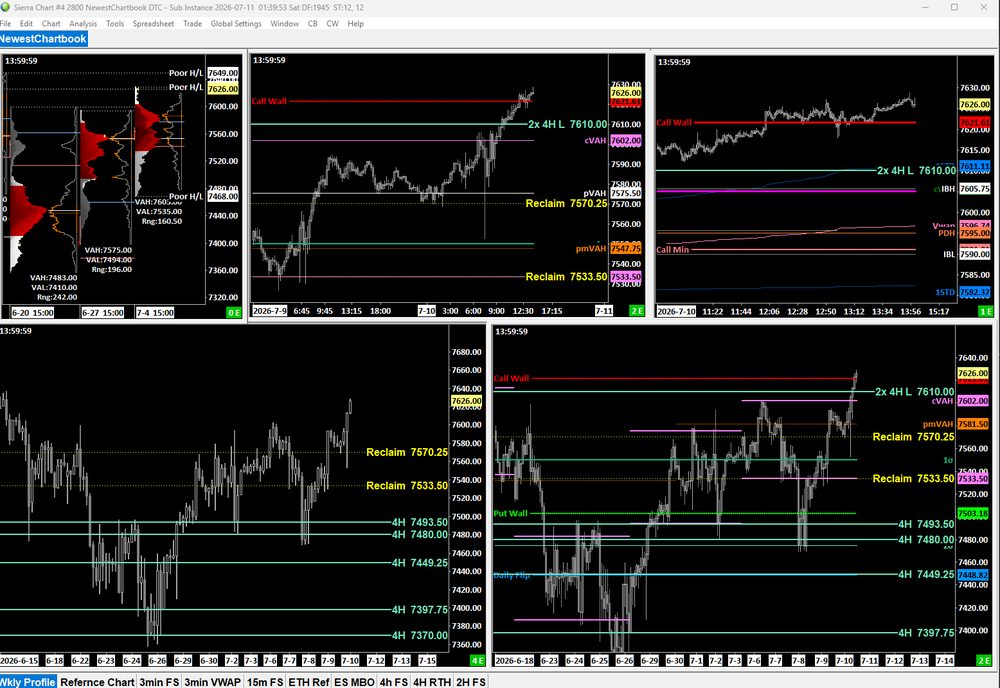
Best for: Traders who want deep customization and full control. People who have their own style and want a platform they can tailor exactly to how they trade.
Skip it if: Beginners still forming their trading style, or anyone who wants something minimal without a lot of bells and whistles.
How Sierra Chart scores
Pricing breakdown
Sierra Chart is priced from $26-56/mo, with no free tier, so budget for it from day one. Factor in a separate market-data feed subscription too, that's a real recurring cost on top of the platform price itself. Against the rest of the category, its Value axis rates 5.0/10, middling for what you get.
See the real total cost (platform + data feed)
| Platform | $26-56/mo |
|---|---|
| Market-data feed | Denali + exchange fees (Pkg 10+ needed for external data) |
Your real monthly cost is the platform price plus the market-data feed. That is why a cheap or free platform can still run more than a pricier all-in-one once you add data, and it is the single biggest thing a sticker price hides.
Specs at a glance
Pros & cons
Where Sierra Chart pulls ahead, and where it falls short, both drawn from the same scored rubric.
- Deep customization; once it's dialed in, the platform is truly yours
- Serious automation, plus enough historical data to backtest and forward-test strategies
- The independent Denali data feed is genuinely robust
- Fast and stable under volatility, often steadier than Jigsaw side-by-side
- A big upfront time sink before it pays off; my first month or two was mostly setup
- Dated, clunky software and back-end
- Desktop only (Windows and Linux, no macOS), with no web or mobile version
- You can't connect multiple Rithmic feeds to one account, so you run separate instances
Open in comparison toolVisit Sierra Chart →
How it compares
A commonly compared alternative is NinjaTrader (76/100 vs 66/100). Sierra Chart edges ahead on order flow. NinjaTrader counters with stronger value and ease of use, making it the better pick for budget-conscious traders and multi-broker traders. See the full head-to-head comparison.
A commonly compared alternative is ATAS (77/100 vs 66/100). Sierra Chart edges ahead on automation. ATAS counters with stronger value and ease of use, making it the better pick for community-driven traders and budget-conscious traders. See the full head-to-head comparison.
Neither alternative fully replaces the other. Plenty of traders end up running more than one platform side by side once they know exactly which job each one is best at.
Compare Sierra Chart head-to-head
Related guides
Good to know
How do I connect a market-data feed?
You subscribe to a data feed (Denali, Rithmic, CQG, Teton) through your broker or prop firm, then enter the login they give you into Sierra Chart. The platform connects to the feed; the feed delivers the real-time prices. Evaluation and funded accounts usually specify which feed to use.
How do prop-firm rules affect which platform I pick?
A prop firm's rules (daily loss limit, trailing drawdown, consistency targets) apply to your trading, not to the software, so any compatible platform can trade a funded account. What matters is compatibility: Sierra Chart connects via DTC connector, and its prop-firm support is rated Moderate. Always confirm your firm supports this platform before you buy.
Frequently asked questions
Is Sierra Chart good for prop firms?
Sierra Chart has Moderate prop-firm support via DTC connector. It's confirmed compatible with Apex, Topstep, Take Profit Trader, and more.
Is Sierra Chart free?
No, Sierra Chart doesn't have a free tier. Pricing starts at $26-56/mo.
How much does Sierra Chart cost?
Sierra Chart is priced from $26-56/mo.
Is Sierra Chart good for order flow?
Yes, Sierra Chart scores 9.0/10 for order-flow and DOM depth, a strong choice for footprint and volume-profile traders.